
Free tool for hotels
What does the guest pay, and what do you keep?
Genius, a Mobile Rate and a deal can all apply to one booking. Enter your rate and your promotions to see how Booking.com stacks them, step by step.
Your rate and promotions
Enter a nightly rate above €0.
Genius
Portfolio deal
Campaign deal
A discount of 0% is off.
Worked out in your browser as you type. Nothing is sent or saved.
Step by step
- Your rate €120.00
- Genius, level 1 −10% -€12.00 €108.00
- Mobile Rate −10% -€10.80 €97.20
- Basic Deal −15% -€14.58 €82.62
- The guest pays €82.62
- Booking.com commission, 15% -€12.39
- You keep €70.23
The rules
How Booking.com stacks discounts
The simulator follows these rules. Each Booking.com rule links to the page it comes from.
Checked against Booking.com's own help pages on 15 November 2026.
-
Booking.com rule
Booking.com sorts its pricing offers into five categories: Genius; targeted rates (Mobile Rate, Country Rate and US State Rate); portfolio deals (Basic, Early Booker, Last-minute and Secret Deals); campaign deals (seasonal ones such as the Getaway, Late Escape, Black Friday and Early Year deals); and deep deals (the Limited-time Deal).
Sources: Combining discounts, rate plans and promotions Setting deals and discounts Country Rates Discounts in the Booking.com Demand API
-
Booking.com rule
Offers in the same category don't combine. If a guest qualifies for more than one, only the biggest discount applies.
-
Booking.com rule
Discounts that do combine are applied one after another, not added up: 10% Genius and then 10% Country Rate on €100 is €81, not €80.
-
Booking.com rule
Genius combines with the other pricing offers.
-
Booking.com rule
The Mobile Rate combines with Genius and other promotions, but not with a Country Rate or a Limited-time Deal.
Sources: Setting Mobile Rates Country Rates
-
Booking.com rule
A Limited-time Deal doesn't stack with other pricing offers, Genius included. Where a guest could have either, the simulator gives them the bigger discount.
Sources: Combining discounts, rate plans and promotions Activating a Limited-time Deal
-
Our assumption
No Booking.com page we could read says whether a campaign deal combines with a portfolio deal. The simulator stacks them, which shows you the bigger discount. Check the price preview in your extranet.
-
How we calculate
The simulator applies Genius first, then targeted rates, portfolio deals and campaign deals. Each discount comes off the price the one before left, so the order changes the steps, not the final price.
-
How we calculate
The commission is worked out on what the guest pays after every discount. You keep the rest.
-
How we calculate
Preferred Partner and Visibility Booster raise your commission in return for visibility; they don't change the guest's price. If you use them, enter your total commission.
An illustration, not a quote. Booking.com may show a guest a different price, depending on your account's settings and who is looking.
Sell direct, without the stacking maths
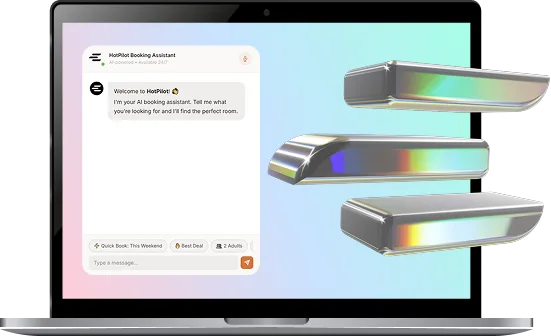
HotPilot gives your hotel its own booking engine, channel manager and pricing tools, so every discount a guest gets is one you chose.
Book a demo