
Overbooking is rarely caused by someone forgetting how many rooms the hotel has. It usually happens because Booking.com, Airbnb and your own calendar each believe they can sell the last room. To prevent hotel overbooking, channel manager technology matters, but the operating rules around it matter just as much.
The problem is easiest to control when you stop treating it as a vague risk and look at the few minutes in which two correct systems can produce one impossible result.
See the small window where double-selling happens
Every channel holds a copy of your availability. Suppose your guesthouse has one apartment left for Saturday. Booking.com shows one, Airbnb shows one and the direct site shows one—not three apartments, but three invitations to buy the same unit.
When a reservation lands on Airbnb, that copy becomes zero immediately. The central system must receive the reservation, reduce the shared inventory and tell Booking.com and the direct site that nothing remains. Until those messages are accepted, another traveller may still see the apartment as bookable elsewhere.
This is the synchronization window. It may be brief, but a popular date can attract two buyers close together. Delayed channel processing, a disconnected account or a room mapping error can keep the window open longer. A manual calendar keeps it open until a person notices and edits every other extranet.
Draw the flow for your own property: where a reservation first arrives, which system changes the count and which connections distribute the new number. If staff cannot point to that source of truth, they cannot reliably tell whether a visible “1” is current or stale.
Why manual allotments buy safety by losing availability
One traditional answer is to split the stock. A five-room category might give three rooms to one OTA and two to another. Because the allocations do not overlap, the same room cannot be sold twice through those channels.
It sounds safe because it is safe in the least useful way.
If the first channel sells its three rooms while the second sells none, two physical rooms remain empty but unavailable to the audience currently willing to buy. Someone must move the allotment manually or accept that the hotel has protected itself by refusing legitimate demand.
Pooling inventory changes the logic. All connected channels can sell from the same current count; when one takes a room, the others receive the reduction. This wider exposure is the purpose of two-way synchronization. It is not merely a faster version of copying numbers between extranets.
Manual allotments can still have a deliberate commercial use, such as reserving capacity for a contracted group. They should not be the everyday patch for unreliable connectivity. If you need permanent buffers on every channel to sleep at night, investigate the connection and room mapping rather than institutionalising underselling.
What two-way synchronization does—and does not—promise
A proper two-way channel sync for hotel inventory carries three kinds of information. Availability changes go outward, centrally managed rate changes go to the channels, and reservations return to the operating calendar without being retyped. That removes several handoffs where delay and transcription errors enter.
For a room booked anywhere, the shared count should decrease everywhere. For a cancellation, the room should reopen according to your rules. When you change a rate or restriction in the source system, the connected listings should receive that update rather than develop separate versions.
No connection makes separate companies update at the exact same instant. The channel must receive, process and acknowledge a message. Two guests can also complete payment on different sites within the same short interval. Sync closes most of the exposure window; it cannot abolish the fact that distributed systems have timing.
That is why the honest standard is not “overbooking becomes impossible.” The standard is that routine bookings update automatically, failed messages are visible, staff know where to edit and exceptions have a prepared response. A supplier promising absolute immunity is hiding the part of the mechanism you need to manage.
Test the connection with controlled changes before a busy period. Close a future date in the source, verify it on each channel, reopen it and confirm the reversal. Then make a small rate change and inspect the correct room and rate plan—not merely the first price shown in search.
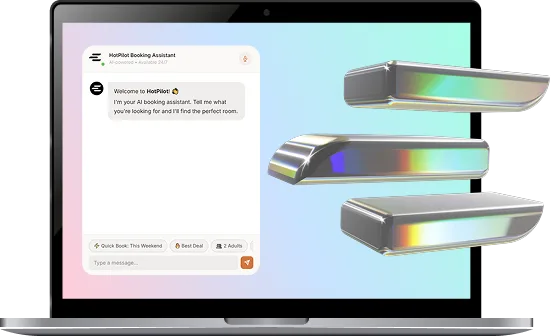
Two-way sync is the mechanical answer here, and it is worth seeing on your own room types rather than in the abstract — we are happy to show you how your channels would behave when a booking lands.

Keep one source of truth
Once a channel is connected, avoid changing normal availability directly in its extranet. A local edit can create a number the central system does not know about, and a later synchronization may overwrite it or distribute a conflicting view. If an emergency requires a channel-side closure, record it and reconcile the source immediately.
Give the team a short operating rule:
- Create, modify and cancel inventory in the central system unless a documented exception applies.
- Treat connection warnings and unreceived reservations as operational work, not background notifications.
- After mapping a new room or rate plan, verify several dates on the live channel.
- Check the calendar after imports, seasonal rollovers and bulk restrictions.
Quiet disconnections deserve particular attention. Credentials expire, commercial settings change and channel mappings can be disturbed during account work. A listing may look normal while its availability has stopped refreshing. Review connection status routinely and whenever one channel shows a pattern that the others do not.
Bulk changes are another vulnerable moment. Closing every Tuesday, applying a minimum stay or shifting a season can affect more dates than intended. Read the calendar as a guest would after the update: choose dates inside, outside and across the boundary. A successful “save” confirms only that the instruction was stored, not that every channel interpreted it as expected.
Prepare for the booking that still collides
If two reservations claim the same room, the quality of your first response determines much of the reputational damage. Do not begin planning while the guest waits on the phone. Write the walked-guest procedure before the high season and keep the current contacts accessible to whoever is on duty.
Decide in advance:
- Who has authority to confirm that relocation is necessary?
- Which nearby properties meet an acceptable standard and whom can you call after hours?
- Who approves any rate difference, transport or other reasonable cost?
- Which staff member contacts the guest and records what was agreed?
First verify the facts. Check timestamps, room mapping, modifications and whether one reservation has already been cancelled elsewhere. Then contact the affected guest promptly, take responsibility without blaming the OTA and offer a concrete arrangement. Making the traveller chase alternatives turns a system collision into a service failure.
Afterward, preserve the evidence and find the cause. If two confirmations arrived seconds apart, review the timing. If one channel had been stale for a day, repair the connection and inspect later dates. If a staff edit created divergence, improve the operating rule without turning the review into a hunt for someone to punish.
Let’s sum up!
- Double-selling occurs while separate channels still show the last room before an update reaches them.
- Fixed allotments avoid overlap by hiding sellable rooms, whereas pooled two-way synchronization distributes one current count.
- Channel sync automates availability, rates and reservations, but no distributed connection can remove every timing collision.
- One central source, routine connection checks and live verification after bulk changes prevent avoidable divergence.
- A prepared relocation procedure lets the hotel respond quickly, fairly and consistently when an exception survives.
If you have ever had to move a guest because two channels sold the same room, take a look at HotPilot and we will show you where that window closes.